How to find travel companions on MingleAway
MingleAway is where people post group trips and others find and join them. Here is the whole path, from the first search to the day you set off together.
Step 1
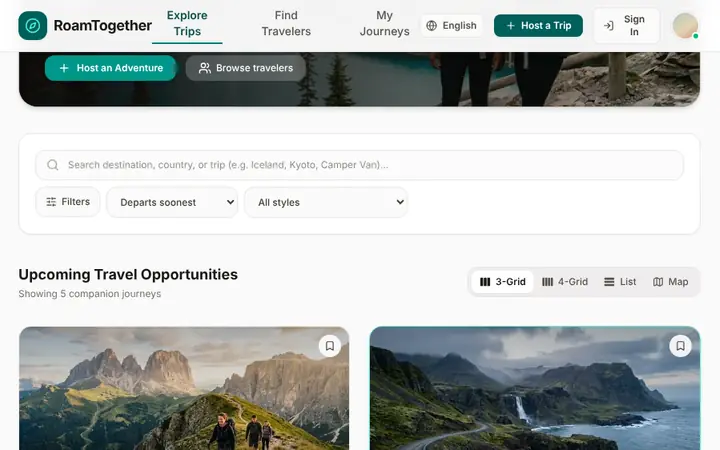
Find or create a trip
Browse open trips on the home page and narrow them down by destination, month, trip length, budget per person, free spots or hosts with a verified ID or phone. Prefer your own plan? Host a trip: add the destination, dates, budget per person and who you are looking for.
Step 2
See who is going
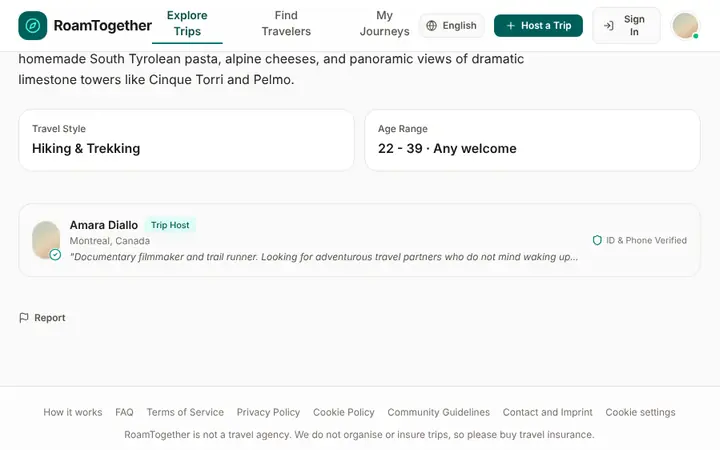
Open a trip to read the plan, check the dates and budget per person, and see the host and the travelers who already joined. Profiles can carry an ID-verified or phone-verified badge. Signed-in people can also see the contact details a host chose to share.
Step 3
Request to join
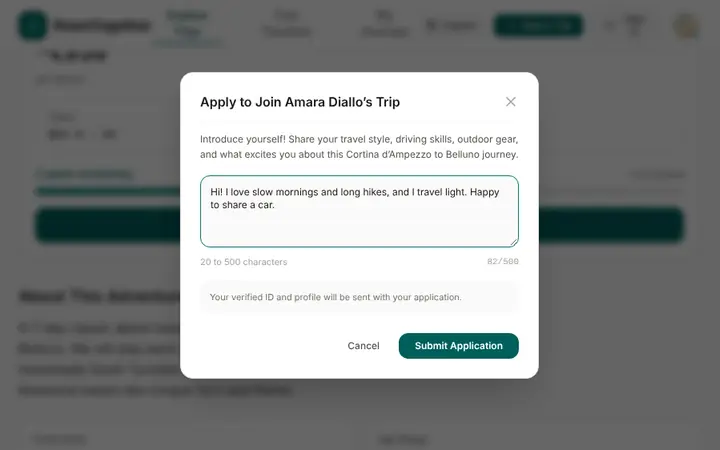
Press Request to join and introduce yourself in a short message. The host accepts or declines, and you see the status of your request. If a trip is full you can still ask: when a spot opens up, you are offered it. Some hosts arrange joining outside the portal and show their contact details instead.
Step 4
Travel together
Once the host accepts you, you are part of the group and appear among the trip's travelers. Agree on the details with the host and your companions, and set off. Be kind to each other: the community guidelines say what we expect and what happens when someone breaks the rules.